

2026 Professional Buyer's Guide
Best Barcode & Label Printers of 2026
Compare the industry's leading desktop, industrial, mobile, RFID, shipping, and specialty label printers from Zebra, Citizen, SATO, Honeywell, Brother, and Wasp. This guide helps you choose the right printer based on print technology, duty cycle, label size, resolution, connectivity, software compatibility, media, and available add-ons.
Speak With a Labeling SpecialistZebra Printers
ZD421, ZT231, ZT411, ZT610, ZQ Series and RFID options.
Explore Zebra Desktop · Industrial · MobileCitizen Printers
CL-E300, CL-E321, CL-S700III and compact mobile models.
Explore CitizenSATO Printers
CT4-LX, CL4NX Plus, PW4NX and enterprise labeling systems.
Compare in this guideHoneywell Printers
PC45, PD45, PM45, RP2 and RP4 for demanding workflows.
Compare in this guideBrother Mobile
RuggedJet mobile printers for field, vehicle, retail, and warehouse use.
Compare in this guideWasp Printers
WPL desktop and industrial models for inventory and asset workflows.
Explore WaspThe best label printer is the one designed for your workflow.
Barcode and label printers are one of the most varied categories in business hardware—and one of the easiest places to buy the wrong equipment. The difference between a compact desktop printer and an industrial labeling system is not simply print speed. It includes media capacity, construction, duty cycle, resolution, connectivity, print language, software support, finishing options, and the types of labels the printer can reliably produce.
Our recommendations cover desktop, industrial, mobile, and RFID printers from leading manufacturers. We evaluated each category around the factors that matter in real deployments: print technology, label size, durability, software compatibility, connectivity, serviceability, available accessories, and total cost of ownership.
Eight factors determine whether a label printer is right for your operation:
- Print Technology: Direct thermal works well for short-life shipping and inventory labels, while thermal transfer is better for durable paper and synthetic materials. RFID printers add encoding for supported inlays.
- Print Volume & Duty Cycle: Desktop printers fit intermittent use. Industrial printers are built for larger media rolls, longer runs, and demanding warehouse or manufacturing environments.
- Print Width & Label Size: Match the printer to the largest label you expect to produce, including 2-inch, 3-inch, 4-inch, 6-inch, and specialty formats.
- Resolution: 203 dpi is appropriate for most shipping and warehouse labels. 300 or 600 dpi is better for small text, dense 2D codes, electronics, laboratory, and compliance labels.
- Connectivity: USB, Ethernet, Wi-Fi, Bluetooth, serial, and mobile interfaces must match the host device, software, and deployment environment.
- Software Compatibility: Confirm drivers, print languages, and integration requirements for BarTender, TEKLYNX, Loftware, NiceLabel, ZebraDesigner, Wasp Labeler, ERP, WMS, and shipping platforms.
- Media & Ribbon: Paper, polypropylene, polyester, freezer, chemical, outdoor, tamper-evident, and RFID materials require the correct print method and ribbon formulation.
- Cutters, Peelers & Add-Ons: Cutters, peelers, internal rewinders, external rewinders, linerless kits, RFID encoders, applicator interfaces, and wireless modules can materially change the workflow.
What to compare before choosing a label printer
Start with the label and the workflow. Then compare technology, volume, resolution, connectivity, software, media handling, and optional finishing equipment.
Print Technology
Direct thermal, thermal transfer, or RFIDChoose direct thermal for short-life labels, thermal transfer for durable labels, or RFID when the workflow requires encoded inlays.
Print Volume & Duty Cycle
Desktop convenience or industrial enduranceDesktop printers fit light to moderate use. Industrial printers support larger rolls, heavier construction, longer runs, and continuous operation.
Print Width & Label Size
Match the printer to the largest labelCommon widths include 2-inch, 3-inch, 4-inch, 6-inch, and wide-format options. Larger printers can often handle smaller media, but not the reverse.
Resolution
203, 300, or 600 dpi203 dpi fits shipping and general barcodes. 300 dpi improves small text and dense codes. 600 dpi supports very small, detailed labels.
Connectivity
USB, Ethernet, Wi-Fi, Bluetooth, and serialChoose interfaces based on the host device, network design, mobile workflow, and whether the printer must be shared across stations.
Software Compatibility
Drivers, languages, and integrationsConfirm compatibility with label-design software, shipping platforms, ERP, WMS, and the printer command language used by your applications.
Media & Ribbon
Adhesive, face stock, and durabilityPaper, polypropylene, polyester, freezer, chemical, outdoor, tamper-evident, and RFID materials require the right print method and ribbon.
Cutters, Peelers & Add-Ons
Finishing options that reduce manual workCutters, peelers, rewinders, linerless kits, RFID encoders, applicator interfaces, and wireless modules can change how labels are produced and applied.
2026 Label Printer Comparison Table
Compare top desktop, industrial, mobile, and RFID label printers side by side. Product links appear only where a live Spartan POS product page is available.
| Rank | Printer | Category | Best For | Key Specs | Why It Stands Out | |
|---|---|---|---|---|---|---|
| 1 | 
Zebra ZT411🏆 Best Overall Industrial
|
Industrial | Warehouse, manufacturing, shipping, and compliance |
203 / 300 / 600 dpi 4-inch print width USB + Ethernet |
Broad configuration range, strong software support, and extensive add-ons | View Product |
| 2 | 
Citizen CL-E300Best Compact Desktop
|
Desktop | Shipping, retail, ecommerce, and compact workstations |
203 dpi 4-inch class USB + LAN + serial |
Compact footprint with strong connectivity for general label printing | View Product |
| 3 | 
SATO CL4NX PlusBest Compliance Platform
|
Industrial | Compliance, manufacturing, GS1, UDI, and enterprise labeling |
203 / 305 dpi 4-inch class Multi-interface |
Enterprise media handling, RFID options, and strong industrial design | View Product |
| 4 |
Zebra ZT231Best Industrial Value
|
Industrial | Mid-volume warehouse and manufacturing workflows |
203 / 300 dpi 4-inch class USB + Ethernet |
Industrial capability without the cost of a higher-end production printer | |
| 1 |
Zebra ZQ620 PlusBest Mobile Label Printer
|
Mobile | Warehouse carts, retail, field service, and point-of-activity labeling |
3-inch class Wi-Fi + Bluetooth Rugged mobile design |
Strong mobile ecosystem, battery options, and enterprise wireless support | |
| 2 |
Citizen CL-S700IIIBest Citizen Industrial
|
Industrial | Warehouse, production, and high-volume thermal transfer |
203 / 300 dpi 4-inch class Industrial media handling |
Front-loading design, reliable mechanics, and strong value for industrial use | |
| 3 |
Honeywell PM45Best Enterprise Integration
|
Industrial | Enterprise manufacturing and legacy-system integration |
203 / 300 / 600 dpi Multiple interfaces Industrial platform |
Broad connectivity and strong fit for complex enterprise environments | |
| 4 |
Zebra ZD621RBest Desktop RFID
|
RFID | Desktop RFID labels, assets, inventory, and specialty encoding |
203 / 300 dpi RFID encoding Desktop footprint |
Compact RFID platform for lower-volume encoding and labeling | |
| 5 |
Brother RJ-4250WBBest Brother Mobile
|
Mobile | Field service, routes, vehicle use, and mobile 4-inch labels |
4-inch class Wi-Fi + Bluetooth Rugged mobile design |
Wide-format mobile printing with strong field and vehicle use cases |
Recommended Zebra and Citizen printers for shipping software.
Shipping platforms typically generate 4 × 6 carrier labels, packing documents, return labels, and fulfillment paperwork. The printer normally connects to the shipping workstation rather than directly to the payment terminal.
| Shipping Platform | Recommended Zebra | Recommended Citizen | Best Workflow | Typical Label |
|---|---|---|---|---|
| ShipStation | Zebra ZD421 | Citizen CL-E300 | Small to mid-volume ecommerce shipping | 4 × 6 direct thermal |
| ShippingEasy | Zebra ZD421 | Citizen CL-E321 | Small business multicarrier shipping | 4 × 6 direct thermal |
| Shippo | Zebra ZD421 | Citizen CL-E300 | Cloud shipping and ecommerce fulfillment | 4 × 6 direct thermal |
| Shopify Shipping | Zebra ZD421 | Citizen CL-E321 | Shopify order fulfillment and returns | 4 × 6 direct thermal |
| Pirate Ship | Zebra ZD421 | Citizen CL-E321 | USPS and UPS parcel shipping | 4 × 6 direct thermal |
| Easyship | Zebra ZD421 | Citizen CL-E300 | International and multicarrier shipping | 4 × 6 direct thermal |
| EasyPost | Zebra ZT231 | Citizen CL-S621II | API-driven, higher-volume fulfillment | 4 × 6 direct thermal |
| Veeqo | Zebra ZT231 | Citizen CL-S700III | Multichannel inventory and shipping | 4 × 6 direct thermal |
| Sellercloud | Zebra ZT411 | Citizen CL-S700III | Enterprise order and warehouse fulfillment | 4 × 6 and carton labels |
| Finale Inventory | Zebra ZT411 | Citizen CL-S700III | Warehouse inventory and fulfillment | 4 × 6, location, item, and carton labels |
Leading label software and recommended printer families.
Printer compatibility can depend on the driver, operating system, print language, network configuration, and edition of the software. The table below is intended as a practical starting point for common business labeling environments.
| Software | Recommended Printers | Best For | Compatibility Notes |
|---|---|---|---|
| BarTender |
Zebra ZT411Citizen CL-S700IIIHoneywell PM45
|
Enterprise labeling, automation, compliance | Broad Windows driver and enterprise integration support |
| TEKLYNX CODESOFT |
Zebra ZT411Citizen CL-S700IIISATO CL4NX Plus
|
Manufacturing, regulated labeling, enterprise design | Confirm the selected Windows driver and printer language |
| TEKLYNX LABELVIEW |
Zebra ZD421Citizen CL-E321
|
Desktop barcode-label creation | Good fit for small and midsize Windows labeling stations |
| Loftware / NiceLabel |
Zebra ZT610Citizen CL-S700IIIHoneywell PM45
|
Cloud, enterprise, and multisite labeling | Use approved drivers and validate print languages and templates |
| ZebraDesigner |
Zebra ZD421Zebra ZT231Zebra ZT411
|
Zebra printer environments | Designed specifically for Zebra desktop, industrial, and mobile printers |
| Wasp Labeler |
Wasp WPL SeriesZebra ZD421
|
Small business inventory and asset labeling | Validate the printer driver and exact Wasp Labeler edition |
| Label LIVE |
Zebra ZD411Citizen CL-E321
|
Mac and small business label design | Confirm the operating system and supported printer driver path |
Built for Your Industry
Label printing supports every major operation. Here is how the equipment is deployed in real environments—and what the workflow requires.
Shipping & Fulfillment
Carrier labels, returns, packing, and order identificationPrint 4 × 6 carrier labels, carton labels, tote labels, packing labels, and return labels from ecommerce, shipping, WMS, and order-management systems.
Warehousing & Distribution
Location, pallet, case, and inventory labelsSupport receiving, put-away, picking, replenishment, cycle counting, and shipping with labels produced at fixed stations or directly on mobile carts.
Manufacturing
Serialization, lot tracking, and compliance on the lineProduce work-in-process labels, finished-goods labels, serialized labels, component identification, and durable compliance labels for production operations.
Retail
Product, shelf, markdown, and inventory labelsPrint product barcodes, price labels, shelf labels, markdown labels, inventory tags, and backroom replenishment labels from desktop or mobile printers.
Healthcare & Laboratory
Small labels, precise barcodes, and traceabilitySupport specimen identification, pharmacy labels, patient workflows, laboratory samples, and high-resolution labels where readability and accuracy are critical.
Food & Cold Storage
Date coding, freezer labels, and moisture resistanceUse application-specific adhesives and materials for prepared food, freezer storage, moisture exposure, lot tracking, and removable or permanent identification.
Field Service & Mobile
Print labels at the point of activityEquip routes, utilities, inspections, public safety, repair teams, and field inventory operations with rugged mobile printers and wireless connectivity.
RFID & Asset Tracking
Encode and print in a single workflowCombine visible barcode information with encoded RFID inlays for assets, returnable containers, inventory, equipment, and high-value items.
Cutters, peelers, rewinders, and options that change the workflow.
Add-ons are not cosmetic upgrades. They can reduce manual handling, speed up application, support automation, and determine whether a printer fits the process at all.
Cutter
Automatically separates tickets, tags, receipts, or continuous stock into individual pieces. Best for batch printing and custom-length media.
Peeler / Dispenser
Removes the label from the liner and presents it for immediate application. Useful for repetitive pack, apply, and verification workflows.
Internal Rewinder
Rewinds printed labels or backing liner inside the printer. Common in high-volume industrial labeling and peel-and-present workflows.
External Rewinder
Collects large batches of printed labels into a finished roll for later application, storage, or use with an applicator.
RFID Encoder
Encodes supported RFID inlays while printing the visible label. Requires approved media, correct calibration, and software support.
Linerless Kit
Supports adhesive media without backing liner, reducing waste and allowing variable-length labels in supported applications.
Wireless Module
Adds Bluetooth or Wi-Fi where cable-free deployment, carts, mobile stations, or shared network access are required.
Applicator Interface
Connects the printer to print-and-apply or automation equipment for production, packaging, and conveyor workflows.
Shop actual printers available from Spartan POS.
Every card below uses a live Spartan POS product, its matching product image, and a direct product link. Each row includes no more than one printer from the same manufacturer.
Featured Desktop Label Printers
Compact desktop models for shipping, product, inventory, healthcare, and general barcode labeling.
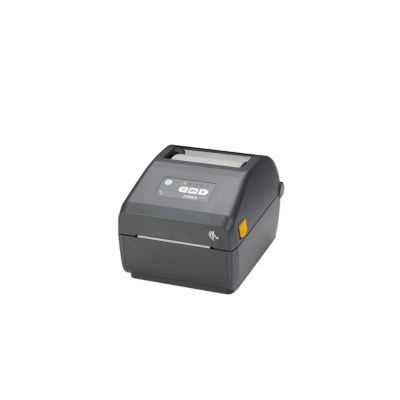
Zebra ZD421
A dependable 4-inch direct thermal desktop printer for shipping, inventory, retail, healthcare, and warehouse labels.
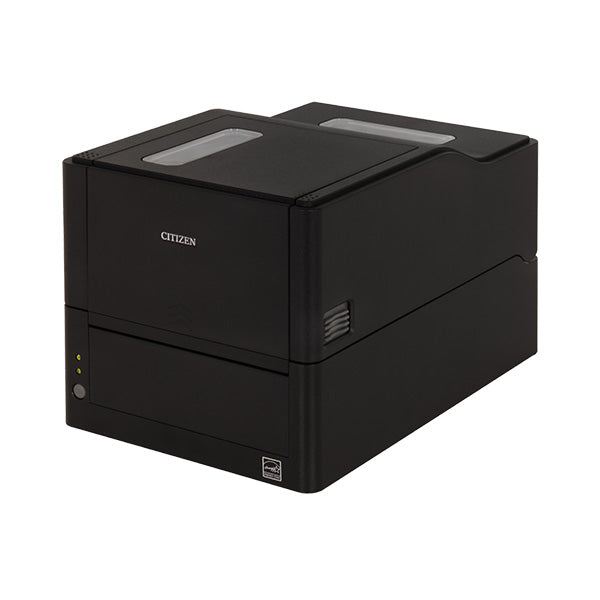
Citizen CL-E321
A compact thermal-transfer and direct-thermal printer with USB, Ethernet, and serial connectivity for durable business labels.
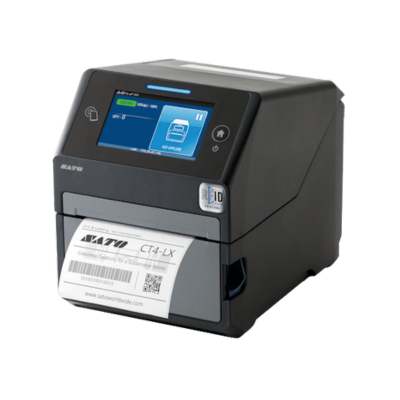
SATO CT4-LX
A feature-rich compact thermal-transfer printer with a color touchscreen, cutter, Ethernet, and USB connectivity.
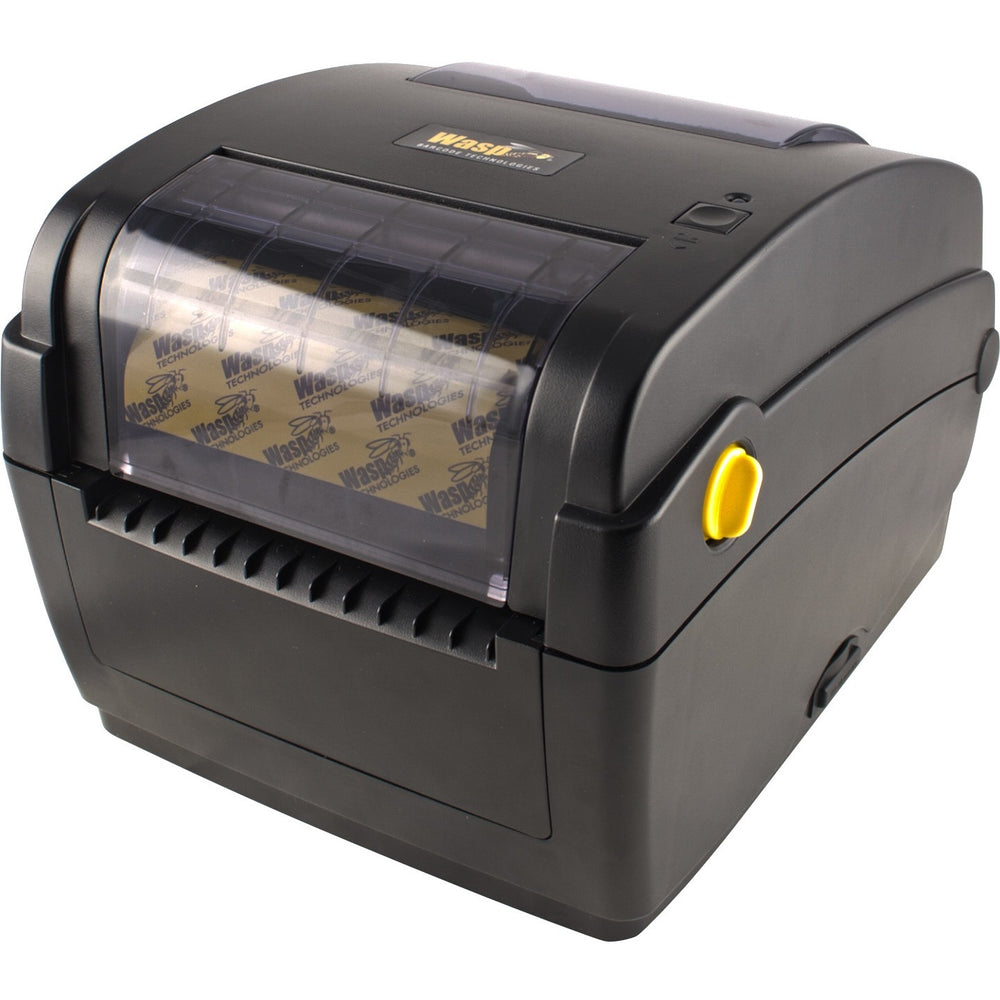
Wasp WPL304
A 4-inch desktop barcode printer with direct thermal and thermal transfer printing plus optional cutter or peeler configurations.
Featured Industrial Label Printers
Industrial printers for warehouses, manufacturing lines, distribution centers, compliance, and sustained label production.
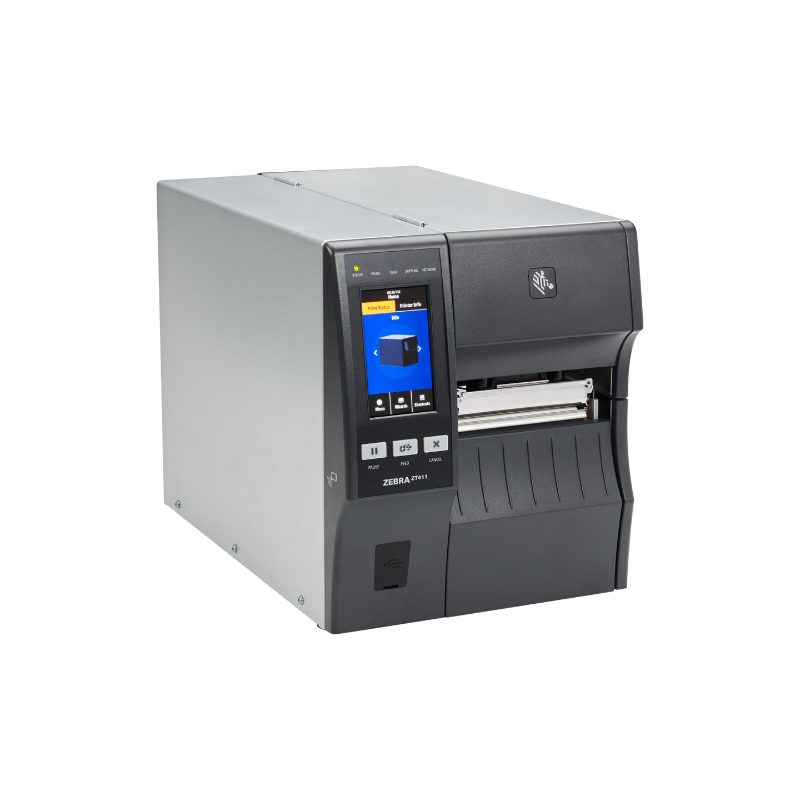
Zebra ZT411
A configurable 4-inch industrial printer for high-volume shipping, inventory, manufacturing, compliance, and RFID workflows.
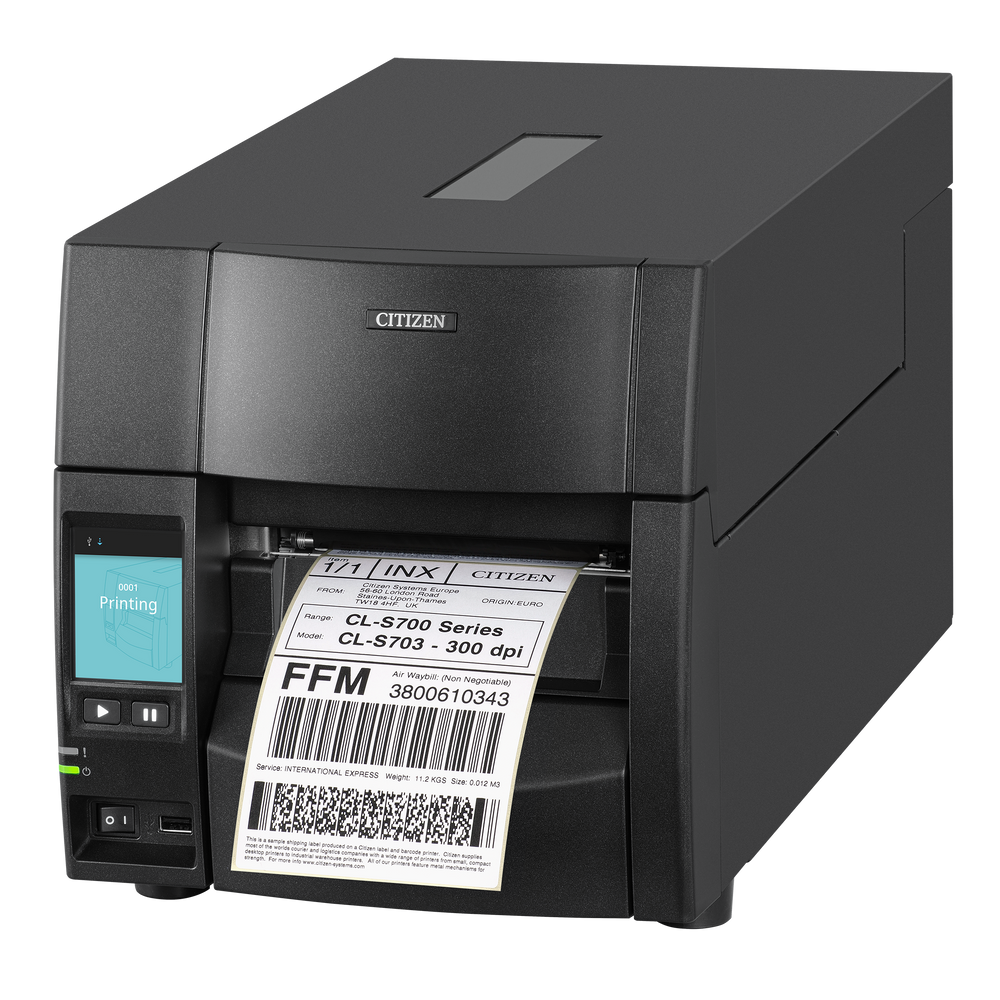
Citizen CL-S700III
A front-loading industrial printer with a color touchscreen and automatic Zebra and Datamax emulation switching.
SATO CL4NX Plus
An enterprise industrial printer for warehouse, manufacturing, compliance, linerless, RFID, and automation applications.
Featured 2-Inch & Narrow-Format Printers
Compact printers for shelf labels, specimen labels, wristbands, asset tags, price labels, and smaller barcode formats.
Zebra ZD411
A compact 2.2-inch direct thermal printer for asset tags, shelf labels, healthcare labels, and space-constrained workstations.
Wasp WHC25
A 2.05-inch direct thermal wristband and narrow-label printer for healthcare identification, events, and hospitality applications.
Featured Mobile Label Printers
Battery-powered printers for routes, field service, receiving, inventory, retail floors, and warehouse point-of-activity printing.
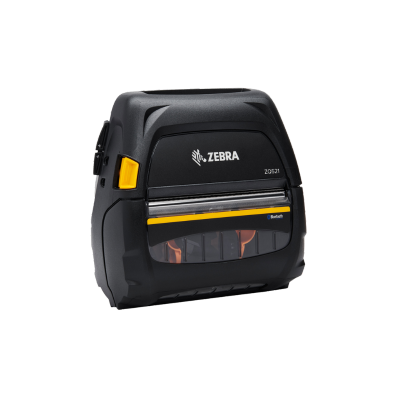
Zebra ZQ521
A rugged mobile printer with a 4.09-inch maximum print width for logistics, field service, route, and warehouse workflows.

Citizen CMP-30II
A versatile 3-inch mobile receipt and label printer with Bluetooth, USB, and serial connectivity for field and mobile POS use.
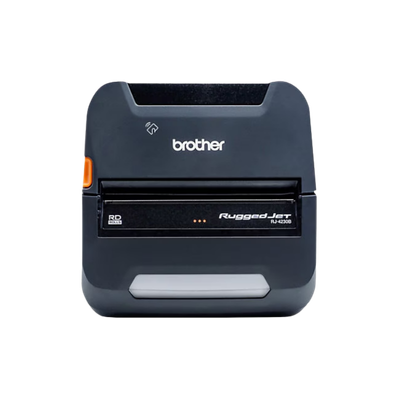
Brother RJ4230BL
A rugged 4-inch mobile direct thermal printer for warehouse, logistics, field service, vehicle, and route applications.
Printer and software solutions built together.
These bundles are designed for customers who need label-design software as well as the printer, media, connectivity, and implementation guidance required to create a complete labeling workflow.
BarTender Professional + Zebra ZD421
A complete desktop labeling package for shipping labels, product labels, inventory labels, and database-driven barcode printing.
TEKLYNX Label Software + Citizen CL-E321
A flexible thermal-transfer desktop package for product labels, durable barcode labels, inventory, warehouse, and retail applications.
Enterprise Label Software + Industrial Printer
A scalable solution for manufacturing, warehouse, compliance, serialization, ERP, and high-volume label automation.
Build the rest of the barcode and warehouse workflow.
Label printers often work alongside barcode scanners, mobile computers, warehouse workstations, carts, RFID equipment, and consumables.
Label printer buying questions.
These answers cover print technology, resolution, mobile printers, shipping labels, software compatibility, ribbons, media, cutters, peelers, RFID, and industrial printer sizing.
What is the best label printer for most small businesses?
A 4-inch desktop direct-thermal printer such as the Zebra ZD421 or Citizen CL-E300 is a strong starting point for shipping, retail, and general barcode labels.
When should I choose an industrial label printer?
Choose industrial hardware when you need larger media capacity, metal construction, higher duty cycles, continuous operation, internal rewind, cutter, peeler, RFID, or production-line integration.
What is the difference between direct thermal and thermal transfer?
Direct thermal prints on heat-sensitive media without ribbon and is best for short-life labels. Thermal transfer uses ribbon and supports more durable paper and synthetic materials.
Is 203 dpi enough for shipping labels?
Yes. 203 dpi is normally appropriate for standard 4 × 6 carrier labels, carton labels, and general warehouse barcodes.
When do I need 300 dpi or 600 dpi?
Use higher resolution for small labels, tiny text, dense 2D barcodes, electronics, laboratory, pharmaceutical, and high-detail compliance labeling.
What is the best mobile label printer?
The best model depends on print width, battery life, ruggedness, Wi-Fi, Bluetooth, carrying method, and software. Zebra ZQ, Honeywell RP, Citizen CMP, and Brother RuggedJet families are common options.
Can I use the same printer with ShipStation, Shippo, and Shopify?
Often yes, when the platforms generate standard PDF or browser-based shipping labels and the printer is correctly installed on the workstation. Validate the exact operating system and print workflow.
Do BarTender and TEKLYNX work with Zebra and Citizen printers?
Both software ecosystems support broad Windows printer-driver environments. Confirm the exact driver, edition, print language, and feature requirements before deployment.
What does a label peeler do?
A peeler separates the printed label from the backing liner and presents it for immediate application, reducing manual handling during repetitive labeling.
What does a cutter do?
A cutter automatically separates continuous labels, tickets, tags, or receipts into individual pieces after printing.
Do I need an internal rewinder?
Internal rewind is useful when labels must be collected inside the printer or when the backing liner must be rewound during peel-and-present workflows.
Can every label printer print RFID labels?
No. RFID printing requires a printer with an integrated RFID encoder and approved inlays. The printer, media, software, and encoding settings must be matched.
Can a 4-inch printer print smaller labels?
Usually yes, as long as the media width, sensor, minimum label dimensions, and printhead alignment are supported by the printer.
What ribbon should I use?
Wax fits general paper labels, wax/resin improves durability, and resin is used for demanding synthetic, chemical, heat, and abrasion-resistant labels.
How do I choose between Zebra and Citizen?
Compare the exact workflow, price, available options, software environment, media handling, service requirements, and preferred print language rather than choosing by brand name alone.
What information is needed for a labeling quote?
Provide the label size, material, adhesive, print volume, environment, barcode type, resolution, connectivity, software, printer location, and required options such as cutter, peeler, rewinder, or RFID.