Skip to content
Value Added Reseller
Direct Thermal and Thermal Transfer Label Printers
Certified Partner Certified Partner
Warranty Included Warranty Included
Contact Labelling Specialist
Direct Thermal Thermal Transfer Desktop Industrial Mobile

Top Label Brinters of 2026: A complete guide to Zebra, Citizen, Sato, Honeywell and More

Our experts tested and ranked the top label printers for 2026 — covering desktop, industrial, compliance, and software-specific picks. Updated with the latest Zebra, SATO, Honeywell, and Citizen models.

Shipping and Receiving Asset Tags Thermal Transfer Direct thermal Industrial Barcode Label Printers Zebra thermal printers

Exclusive reader offer —10% off any hardware order from this guide.

Use code: Click to copy

Choosing the right label printer in 2026 means navigating a market full of improved connectivity, faster print speeds, and smarter software integrations. Our team evaluated dozens of models across desktop, industrial, and compliance categories — scoring each on real-world speed, reliability, software compatibility, connectivity, and total cost of ownership.

Whether you need a compact office printer for shipping labels or a 24/7 industrial workhorse for warehouse compliance, the right answer depends on five key decision factors. Get these right and the printer choice becomes straightforward.

  • Use Case: The single biggest driver of printer selection. Shipping label operations (4"×6" thermal, high volume) have completely different requirements than compliance labeling (precise dpi, regulated formats) or retail shelf labels (small media, color options). Identify your primary use case first — desktop printers optimized for shipping labels perform poorly on fine-detail GS1 or UDI compliance work, and vice versa.
  • Environment: Office and backroom environments (clean, climate-controlled, light-duty) are well-served by desktop printers with standard plastic housings. Warehouse floors, manufacturing lines, and outdoor loading docks require all-metal industrial frames, sealed media compartments, and fanless designs that can handle dust, vibration, and temperature swings. Running a desktop printer in an industrial environment is the #1 cause of premature failure and voided warranties.
  • Labels Per Day: Volume determines duty cycle requirements and directly impacts total cost of ownership. Light-duty desktop printers (under 500 labels/day) will overheat, jam, and fail prematurely if pushed past their rated cycle. Mid-range operations (500–2,000/day) need a step up to commercial-grade mechanisms. High-volume operations (2,000–50,000+/day) require industrial printers with all-metal print mechanisms, auto-calibration, and user-replaceable print heads rated for millions of inches.
  • Types of Labels: Direct thermal (no ribbon) is ideal for short-life labels — shipping, receipts, and temporary tags. Thermal transfer (with ribbon) is required for labels that need to last — outdoor, chemical-resistant, freezer-grade, or long-term asset tags. Resolution matters too: 203 dpi covers most shipping labels, but GS1 DataMatrix, QR codes, and fine serialized text require 300 or 600 dpi to meet regulatory scan requirements. RFID encoding adds another layer — only specific printer models support it natively.
  • Software Compatibility: This is where most buyers make costly mistakes. Not all printers work with all label software out of the box — certified compatibility lists exist for a reasonBarTender requires Seagull Scientific's driver (native on Zebra, workarounds needed for others). TEKLYNX CODESOFT and LABEL ARCHIVE maintain explicit certified hardware lists. NiceLabel Cloud Print Server auto-discovers Zebra printers via Print DNA — but requires manual setup on other brands. ERP-connected operations (SAP, Oracle WMS, Manhattan Associates) almost universally certify Zebra first. Always verify your software vendor's compatibility matrix before purchasing.

Reader-Exclusive Discount

Get 10% off any printer, scanner, scale, or bundle in this guide. Use code at checkout.

Click to copy

Top 3 Label Printers of 2026

Our three editor-selected standouts for 2026 — the best overall desktop, the best industrial workhorse, and the best compliance printer. If you only read one section, make it this one.

Zebra, Printer, ZT231R, 4" Thermal Transfer, RFID Printer

Zebra, Printer, ZT231R, 4" Thermal Transfer, RFID Printer

SKU:ZT23142-T0100AFZ

$2,569.64
Zebra ZT231R is a high-performance RFID label printer designed for printing and encoding RFID labels in warehouse, manufacturing, and logistics environments.
4" Print Width
203 DPI
USB, Serial, Ethernet, Bluetooth LE, and USB
Citizen CL-S700III, 4" Industrial Label Printer

Citizen CL-S700III, 4" Industrial Label Printer

SKU:CL-S700IIINNU-C

$1,489.13
The Citizen CL-S700III is a high-performance industrial label printer designed for demanding environments such as manufacturing, warehousing, and logistics.
Direct Thermal and Thermal Transfer
203 DPI
USB and Ethernet

Best Industrial Label Printers 2026

Zebra ZT6 Series Industrial Label Printer

Zebra ZT610 Industrial Label Printer, 4" Thermal Transfer, 203 DPI, Ethernet & Bluetooth

SKU:ZT61042-T010100Z

$2,999.99
The Zebra ZT610 Industrial Label Printer is a premium, high-performance printer built for demanding industrial environments.
203 DPI
4" Width Label Printing
High-Volume Printing
Citizen CL-S700III, 4" Industrial Label Printer

Citizen CL-S700III, 4" Industrial Label Printer

SKU:CL-S700IIINNU-C

$1,489.13
The Citizen CL-S700III is a high-performance industrial label printer designed for demanding environments such as manufacturing, warehousing, and logistics.
Direct Thermal and Thermal Transfer
203 DPI
USB and Ethernet

Best Desktop Label Printers 2026

Citizen, CL-E300, Direct Thermal Label Printer, Bluetooth, USB (CL-E303EXXUBBTNA)

Citizen, CL-E300, Direct Thermal Label Printer, Bluetooth, USB (CL-E303EXXUBBTNA)

SKU:CL-E303EXXUBBTNA

$479.70
The Citizen CL-E303EXXUBBTNA is a compact, high-resolution (300 dpi) direct thermal desktop printer designed for space-constrained environments in logistics, retail, and healthcare.
Print Width 4"
300 DPI
Direct Thermal
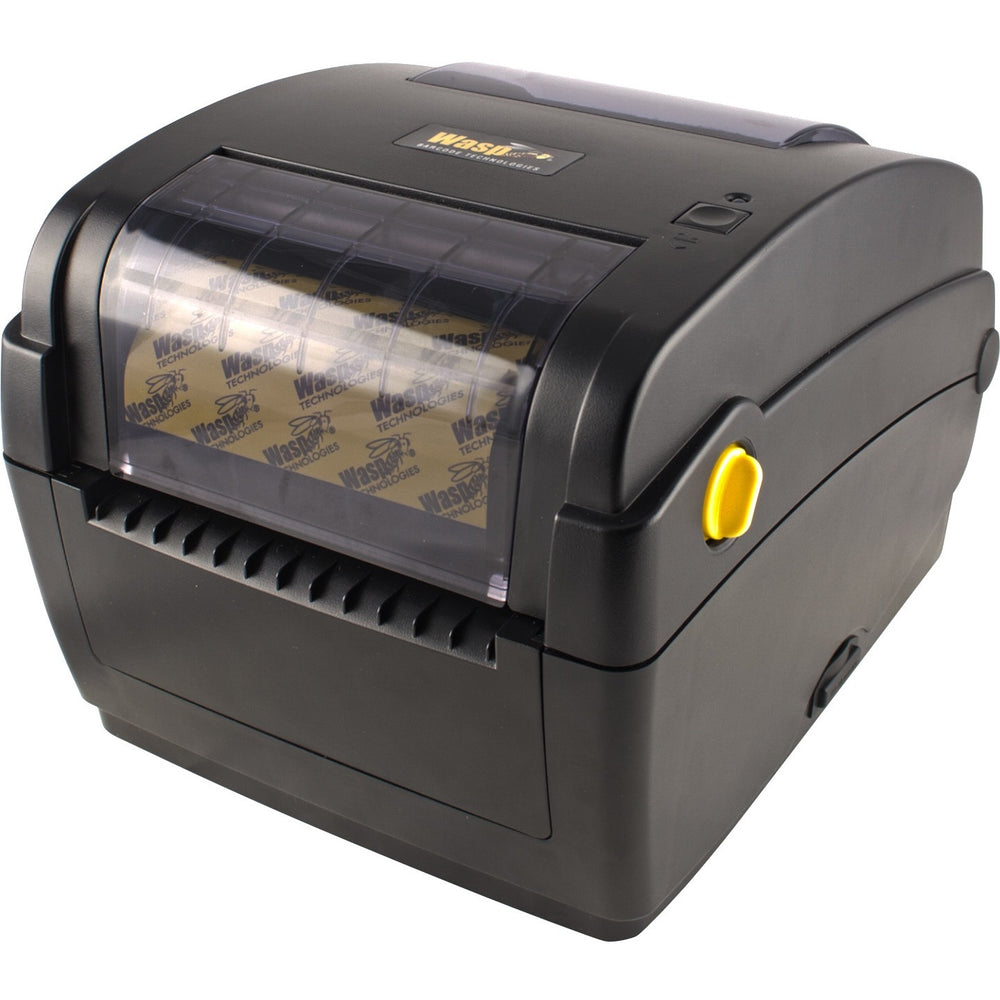
Wasp WPL304 Desktop Barcode Label Printer (4”, DT/TT, USB/Ethernet)

Wasp WPL304 Desktop Barcode Label Printer (4”, DT/TT, USB/Ethernet)

SKU:633808404055

$415.00
Versatile 4-inch desktop barcode printer with thermal transfer and direct thermal support for shipping and labeling
4-inch class print width
Direct thermal + thermal transfer
USB, Ethernet
Zebra, ZD421, 4" Thermal Transfer Printer

Zebra, ZD421, 4" Thermal Transfer Printer

SKU:ZD4A042-301E00EZ

$710.79
$1,028.32
Save $317.53
The ZD421T is a 4-inch wide thermal transfer desktop printer designed for high-performance barcode, label, and receipt printing.
203 DPI
Thermal Transfer
USB, Ethernet, Bluetooth Connectivity
Best Mobile Label Printers 2026

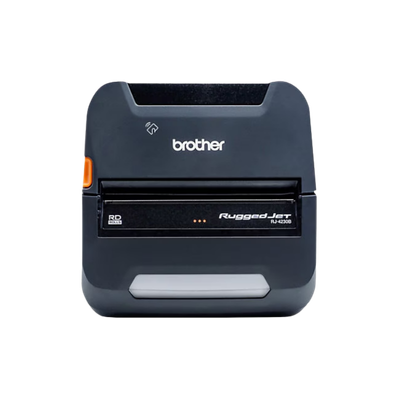
Brother RuggedJet RJ4230BL Mobile 4" Label & Receipt Printer – Bluetooth, USB, NFC

Brother RuggedJet RJ4230BL Mobile 4" Label & Receipt Printer – Bluetooth, USB, NFC

SKU:RJ4230BL

$764.73
The Brother RuggedJet RJ4230BL is a rugged 4" mobile label and receipt printer designed for field service, logistics, warehousing, and mobile operations.
Bluetooth, USB Connectivity
Long Battery Life
5 IPS
Zebra ZQ521, Mobile Printer Bluetooth

Zebra ZQ521, Mobile Printer Bluetooth

SKU:ZQ52-BUE1000-00

$997.12
Zebra ZQ521 Mobile Printer Bluetooth is a Zebra mobile printer for field teams, delivery drivers, route sales, logistics, and mobile receipt or label printing.
6.6 ft. drop tolerance
Direct Thermal
4.09" max print width
ZQ620 Plus Premium Mobile 3-inch Wide Standard

ZQ620 Plus Premium Mobile 3-inch Wide Standard

SKU:ZQ62-AUXA0B4-00

$1,231.27

Top Healthcare Label Printers

Zebra, ZD411, 2" Direct Thermal Healthcare (ZD4AH22-D01E00EZ)

Zebra, ZD411, 2" Direct Thermal Healthcare (ZD4AH22-D01E00EZ)

SKU:ZD4AH22-D01E00EZ

$550.58
Zebra ZD411-HC Healthcare Label Printer is a compact healthcare barcode label printer built for secure, disinfectant-ready performance in clinical environments.
203 DPI
USB, Bluetooth, Ethernet Connectivity
2" Print Width
Zebra, ZD421, 4" Direct Thermal Healthcare (ZD4AH42-D01W01EZ)

Zebra, ZD421, 4" Direct Thermal Healthcare (ZD4AH42-D01W01EZ)

SKU:ZD4AH42-D01W01EZ

$801.90
The ZD421-HC is a Zebra label printer built for shipping labels, product labels, barcode labels, inventory labels, and warehouse labeling workflows.
203 DPI
Direct Thermal
USB, Bluetooth, Wi-Fi Connectivity
Zebra Zebra Z-Band Splash Wristbands 1"x10" 350 Bands per Cartridge 6 Cartons per Case- Red (10012717-1K)

ZQ620 Plus Premium Mobile 3-inch Wide Healthcare

SKU:ZQ62-HUXA004-00

$1,359.20

Wasp Software

Wasp AssetCloudOP Complete Software (5 User Asset Tracking System)

Wasp AssetCloudOP Complete Software (5 User Asset Tracking System)

SKU:633809006029

Web-based asset management with mobile capabilities
  • Cloud Software
  • 2D Scanning
  • Thermal Transfer Tags
  • Support
$5,650.00 View Product
Wasp Barcode Maker Software (1D Barcode Generator for Word & Excel)

Wasp Barcode Maker Software (1D Barcode Generator for Word & Excel)

SKU:633808105167

$139.00 View Product
Wasp InventoryCloudOP Basic Inventory Management Software (1 User, On-Premise)

Wasp InventoryCloudOP Basic Inventory Management Software (1 User, On-Premise)

SKU:633809006081

$2,695.99 View Product

Final Thoughts

The right printing hardware saves both time and money

The most important thing to understand about buying a label printer is that the hardware decision comes last, not first. The right printer is determined entirely by four things that have nothing to do with brand or price: what software you're running, where the printer will live, how many labels you print per day, and what those labels actually need to do. Get those four answers right, and the choice narrows itself down quickly.

Start with your software. This is the step most buyers skip, and it's the one that causes the most problems. Not every printer works cleanly with every label platform. If you're running BarTender, you want a Zebra — Seagull Scientific's native ZDesigner driver gives you full ZPL and RFID access without any manual configuration. If you're on TEKLYNX CODESOFT or LABEL ARCHIVE, the Citizen CL-E321 and SATO CL4NX Plus are on the official certified hardware list, which means plug-and-print from day one. NiceLabel Cloud Print auto-discovers Zebra printers via Print DNA, so there's no IT ticket required. And if your operation runs SAP, Oracle WMS, or Manhattan Associates, Zebra industrial hardware is essentially the assumed standard — almost every enterprise WMS deployment is certified and built around it. Always verify your software vendor's compatibility list before purchasing anything.

Next, consider where the printer will be used. This is the most underestimated factor in terms of long-term cost. A desktop printer placed on a clean office desk in a climate-controlled room is perfectly suited for a model like the Zebra ZD421 or ZD621. But put that same printer on a warehouse floor with dust, vibration, temperature swings, and forklift traffic nearby, and it will fail far ahead of schedule — usually voiding the warranty in the process. If your environment is a warehouse, manufacturing line, loading dock, or outdoor area, you need an all-metal industrial printer like the Zebra ZT411, Honeywell PM45, or SATO CL4NX Plus. These machines are engineered specifically for those conditions. Matching the machine to the environment is one of the simplest ways to avoid expensive replacements down the road.

Volume matters more than most people realize. Every printer has a rated duty cycle, and exceeding it consistently leads to overheating, jams, and premature print head failure. If you're printing under 100 labels per day, an entry-level desktop like the Honeywell PC42t Plus is more than sufficient — there's no reason to spend more. From 100 to 500 per day, a mid-range desktop like the Zebra ZD621 or Citizen CL-E321 handles the load comfortably and gives you better connectivity for the money. Once you cross 500 labels per day on a regular basis, desktop duty cycles start to show their limits, and the step up to a commercial or industrial mechanism becomes cost-effective. Above 2,000 labels per day, industrial hardware isn't optional — the Zebra ZT411 and ZT610 are built for exactly this kind of sustained, high-throughput operation. And at 10,000 or more labels per day, you're in enterprise territory where redundant printer setups and remote management via ZPL become standard practice.

Think carefully about the type of label itself. Direct thermal printing — which uses no ribbon — is the right call for short-life labels like shipping labels, receipts, and temporary tags. It's simpler and cheaper to run. But if your labels need to survive outdoors, in freezers, or in chemical environments for months or years, you need thermal transfer with a ribbon and the right synthetic label stock. Resolution is also critical for compliance work: 203 dpi is fine for most shipping labels, but GS1 DataMatrix codes, QR codes, and serialized fine text for medical devices or pharmaceutical compliance require 300 or 600 dpi to meet regulatory scan standards. And if RFID encoding is part of your workflow, only specific printer models support it natively — the Zebra ZT411 and ZT610 both offer built-in RFID options, but you need to spec that at purchase time.

Finally, budget with total cost of ownership in mind, not just the sticker price. The cheapest printer on the shelf is rarely the cheapest solution over time. Ribbons, media costs, maintenance, print head replacements, and — most importantly — downtime all factor into the real cost of a printing operation. Under $300, the Honeywell PC42t Plus and Citizen CL-E300 are solid light-duty options when volume is low and software needs are straightforward. In the $300–$800 range, the Zebra ZD421, ZD621, and Citizen CL-E321 represent the sweet spot for most desktop operations — Wi-Fi, full software certifications, and better build quality all become available at this tier. Above $800, you're buying industrial longevity: the SATO CL4NX Plus, Honeywell PM45, Zebra ZT411, and ZT610 are all-metal machines rated for 24/7 operation with lower cost-per-label over their service life.

If you work through those five filters — software, environment, volume, label type, and budget — in that order, you'll arrive at the right printer without second-guessing yourself. Every recommendation in this guide is built around exactly that framework. If you're still not sure, our specialists are available to walk through your situation and give you a direct, no-obligation recommendation.